Stock
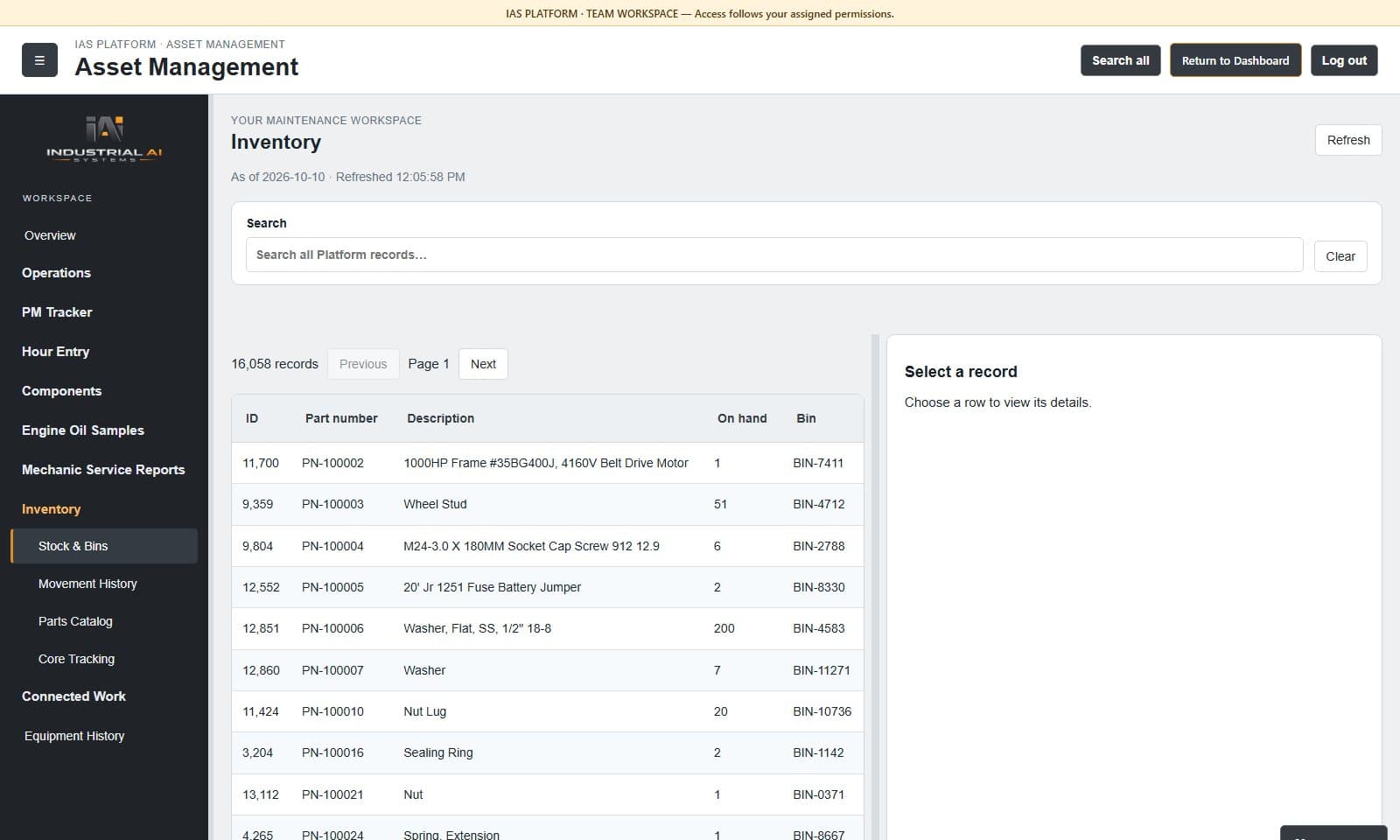
- Stock on hand by location and bin
- Full stock-movement history
- Parts catalog with descriptions
- Core tracking
Operations & records
IAS Inventory
Know what’s on the shelf before the job starts.
Stock on hand by location and bin, every movement recorded, connected to the work that uses it.
The challenge
Crews lose hours when parts aren’t where the system says they are. Inventory keeps stock, bins and movements accurate and connects them to the work that needs them.
What Inventory does
Who it’s for
How it works
Trust and evidence
Every stock change is recorded with who, what and when.
Works with
Inventory lives in the same workspace as your equipment and work orders.
Part of the connected IAS suite.
Illustrative example · no customer data shown
Before a pump repair, the planner looks up the seal kit and sees it’s in the storeroom, in bin B-14, so the crew leaves once, with the right parts.
Questions buyers ask
Inventory works inside the Asset Management workspace, so parts, equipment and work orders stay connected.
Yes, during setup.
Talk with IAS
IAS will walk your team through Inventory, your information sources, users and infrastructure, and recommend a practical starting scope.